-
-
-
-
-
-
-
10 VIDEOS -
Image Unavailable
Color:
-
-
-
- To view this video download Flash Player
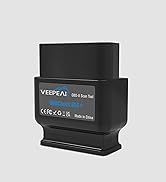
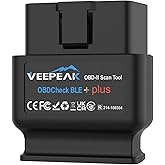
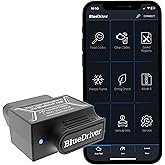
Veepeak OBDCheck BLE Bluetooth OBD II Scanner for iOS & Android, Car Wireless Check Engine Light Code Reader Diagnostic Tool
Return this item for free
We offer easy, convenient returns with at least one free return option: no shipping charges. All returns must comply with our returns policy.
Learn more about free returns.- Go to your orders and start the return
- Select your preferred free shipping option
- Drop off and leave!
Purchase options and add-ons
| Brand | Veepeak |
| Power Source | OBD II Port |
| Product Dimensions | 1.61"L x 1.97"W x 0.87"H |
| Operating System | For iOS & Android (excluding head units) |
| Automotive Fit Type | Universal Fit |
About this item
- GENERIC OBD-II FUNCTIONS – read & clear trouble codes for check engine light (CEL or MIL), view freeze frame data, I/M readiness, and live sensor data to help monitor vehicle health and diagnose check engine problems.
- VEHICLE COMPATIBILITY: Compatible with most 1996+ cars and light trucks in the US for generic OBD-II functions (with limited support for EVs; check in Car Scanner App or contact Veepeak to confirm compatibility before purchase).
- DEVICE COMPATIBILITY: Supports Bluetooth LE/ Classic for Android, and Bluetooth LE for iOS devices. Note: Bluetooth LE requires direct in-app connection; do not connect in phone’s Bluetooth settings. Android head units may not be supported.
- COMPATIBLE APPS: Car Scanner (recommended), Torque (for Android), BimmerCode*, BimmerLink*, OBD JScan, Dr. Prius, etc. Note: Apps not included; some Apps or in-App features require separate purchase. NOT compatible with Carly, MHD, xHP, ProTool, bootmod3, etc.
- *APP LIMITATIONS: Model year before 2008 are not supported for BimmerCode or BimmerLink. In addition, G & U series are not fully supported for the two Apps. Check product description or App page for details.
- NOTE: Advanced diagnostics (ABS, SRS, TPMS etc.) and data (like transmission temp) are only available for some makes/models via specific apps. MS-CAN, and advanced functions like oil light reset, EPB reset, or service performing are usually NOT supported. Please refer to product description, or contact Veepeak to check availability.
Similar items that deliver to you quickly
Sustainability features for this productSustainability features
This product has sustainability features recognized by trusted certifications.Contains at least 50% recycled material.As certified by
Global Recycled Standard (GRS) certified products contain recycled content that has been independently verified at each stage of the supply chain, from the source to the final product and meet social, environmental, and chemical requirements. The purchase of Global Recycled Standard (GRS) certified products supports the use of recycled content in the supply chain. A product must contain at least 50% certified GRS material to qualify for inclusion in Climate Pledge Friendly.SGSTE-00304560Made with chemicals safer for human health and the environment.As certified by
Global Recycled Standard
Global Recycled Standard (GRS) certified products contain recycled content that has been independently verified at each stage of the supply chain, from the source to the final product and meet social, environmental, and chemical requirements. The purchase of Global Recycled Standard (GRS) certified products supports the use of recycled content in the supply chain. A product must contain at least 50% certified GRS material to qualify for inclusion in Climate Pledge Friendly.Certification Body
SGSCertification Number
TE-00304560Manufactured on farms or in facilities that protect the rights and/or health of workers.As certified by
Global Recycled Standard
Global Recycled Standard (GRS) certified products contain recycled content that has been independently verified at each stage of the supply chain, from the source to the final product and meet social, environmental, and chemical requirements. The purchase of Global Recycled Standard (GRS) certified products supports the use of recycled content in the supply chain. A product must contain at least 50% certified GRS material to qualify for inclusion in Climate Pledge Friendly.Certification Body
SGSCertification Number
TE-00304560
Product description
Know Your Vehicle Better
The vehicle in your garage can be as smart as your phone. Turn your iOS or Android phone or tablet into a sophisticated diagnostic scan tool and real-time performance monitor. The OBDCheck BLE directly plugs into your vehicle and connects to an OBD II App on your iOS or Android device via Bluetooth. Whenever you have a check engine light on or want to see how your car is performing, it will be a very useful gadget for you.
Compatible App (NOT included; some Apps or features require separate purchase)
| CAR SCANNER ELM OBD2 | See what your car is doing in realtime, get OBD fault codes, car performance, sensor data and more! |
| OBD Fusion | Check engine light diagnostics, create customized dashboards, plus enhanced diagnostics & PIDs for selected vehicles. |
| Torque (Android) | Popular vehicle performance, sensors and diagnostics tool. Android only, no iOS version. |
| BimmerCode | Paid coding App for BMW (2008+ E, F, I, and 2008+ R series); Model year before 2008, G series and U series are NOT supported. |
| BimmerLink | Advanced diagnostic App for BMW (MY2008+): Read trouble codes, display real-time sensor values, or register a new battery after replacement. |
| More Advanced Apps | Compatible with Dr. Prius, JScan OBD, Carista, bimmer-tool, OBDocker, GaragePro, AlfaOBD (limited support), ActiveOBD, FORScan Lite (no MS CAN support) etc. (Please check the app page for detailed features & fees) |
| Incompatible Apps or Software | Carly, MHD, xHP, ProTool, bootmod3, Multiecuscan, Techstream, VCDS, etc. |
Specifications
| Communication Method | Dual mode Bluetooth: LE + Classic |
| Operating Voltage/Current | 9V~16V, Max 45mA |
| Dimension | 1.61" x 1.97" x 0.87" |
| Supported OBD II protocols | J1850 PWM, J1850 VPW, ISO9141-2, ISO14230-4 (KWP2000), and ISO 15765-4 (CAN). MS-CAN, SW-CAN are NOT supported. |
| Compatible Vehicles | USA - 1996+, Canada – 1998+, Mexico – 2006+, EU – 2001+ (gas), 2004+ (diesel) for generic OBD-II functions. Excluding EVs. |
| Supported Functions | Generic OBD-II functions including OBD-II diagnostics, live sensor data, I/M readiness, and advanced diagnostics & extended data for selected makes and models via specific Apps. |
| Unsupported Functions | Oil light & other maintenance reset, EPB/brake reset, relearning, adaptation, and other unlisted functions. |
-
Is there an App included with the item? Do I need a subscription?
No. You need to get a compatible third-party App from the App Store or Play Store. Be cautious of imitation apps with Torque or Car Scanner in their names. Only use the recommended apps to ensure proper functionality and avoid unnecessary charges.
-
Which connection method does it use?
It uses Bluetooth LE for iOS, and Bluetooth LE or Classic Bluetooth for Android. It does not support WiFi connection.
-
Does it work with electric vehicles?
EV or PHEVs do not have standard OBD-II systems so they require special Apps to connect, for example Car Scanner ELM OBD2 (with the appropriate EV connection profiles), EVScanner, and not all of them are compatible.
-
Which functions are supported and what are not supported?
Generic functions like engine DTCs reading & clearing, live sensor data, I/M readiness are supported. Advanced diagnostics (ABS, SRS) are partially supported for certain vehicles. All kinds of service reset or relearning functions are not supported.
Common Issues and Troubleshooting
1. Device does not power up (no blue light).
First check if the cigar fuse of your vehicle is in good condition to provide power. You can also try with another vehicle to verify.
2. When I try to connect “VEEPEAK” with my iPhone or iPad, it tells me it is not supported.
You will see this error when trying to connect from iOS Bluetooth Settings. This device uses Bluetooth LE for iOS devices and requires connecting in the App. Please restart your iOS device so “VEEPEAK” shows up again, then start the OBD App and connect in the App (refer to the setup guide in product images or user guide).
3. Could not pair my Android device with “VEEPEAK”.
Turn off Bluetooth and turn it back on. Try pairing a few more times; Turn off WiFi & cellular data and try again; Disconnect other Bluetooth devices; Restart your Android device; Clear Bluetooth data cache. For Car Scanner App, skip the pairing and select Bluetooth LE in the App to connect.
4. App not connecting to Veepeak device.
Make sure the App is compatible, and you have made the correct App connection settings and granted the App permissions (including Bluetooth for iOS, nearby devices for Android); Remove and re-install the app (especially when you have an OS update or the App is not used for some time); Try with a different App.
5. Cannot connect to vehicle/ECU.
Make sure the OBD port is in good condition and the device fits well in it. Try to push it a little harder into the OBD port if the contact is loose as powering up does not always mean a good fit. Make sure your vehicle is OBD II compliant, and ignition is turned ON; Check if your vehicle is supported by the App; Try it on another vehicle.
More Car Tools from Veepeak
OBDCheck BLE
Add to Cart
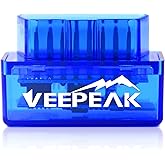
| OBDCheck VP11
Add to Cart
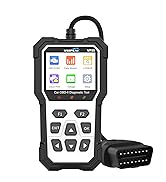
| VP59 OBD2 Diagnostic Tool
Add to Cart
| BT24 Car Battery Tester
Add to Cart
| 1220 Battery Tester
Add to Cart
| |
|---|---|---|---|---|---|
|
Connection Method
| Bluetooth LE + Classic | Classic Bluetooth | Wired | Wired | Wired |
|
Compatible with Android
| ✔ | ✔ | ✘ | ✘ | ✘ |
|
Compatible with iOS
| ✔ | ✘ | ✘ | ✘ | ✘ |
|
Popular Compatible Apps
| Car Scanner, OBD Fusion | Torque, Car Scanner | Not required | Not required | Not required |
|
Main Functions
| OBD-II engine diagnostics | OBD-II engine diagnostics | OBD-II engine diagnostics | Auto 12v 24v battery test | Auto 12v battery test |
|
Extra features
| Depends on the chosen App | Depends on the chosen App | Full OBD modes, plug and read | Starting and alternator test | Starting and alternator test |
From the brand
Veepeak Car OBD2 Scanners
Smarter tools. Better drives.
-
Consumers around the world want to get quality accessories and tools for their beloved cars. We at Veepeak have been working with experts in the automotive aftermarket and App developers to design and develop auto diagnostic products. The Veepeak products enable car owners to easily access information they care about and get problems fixed at a reasonable cost with peace of mind.
-
OBD-II Scanners Readers
-
Recommended by Various Apps
Product information
Technical Details
| Brand | Veepeak |
|---|---|
| Power Source | OBD II Port |
| Product Dimensions | 1.61"L x 1.97"W x 0.87"H |
| Operating System | For iOS & Android (excluding head units) |
| Automotive Fit Type | Universal Fit |
| Manufacturer | Veepeak |
| Item Weight | 2.11 ounces |
| Item model number | BLE |
| Is Discontinued By Manufacturer | No |
| Manufacturer Part Number | OBDCheck BLE |
Additional Information
| ASIN | B073XKQQQW |
|---|---|
| Best Sellers Rank |
|
| Date First Available | July 14, 2017 |
Warranty & Support
Feedback
Product Videos
Safety and product resources
What's in the box
Product summary presents key product information
Keyboard shortcut
shift
+
alt
+
opt
+
D
Product Summary: Veepeak OBDCheck BLE Bluetooth OBD II Scanner for iOS & Android, Car Wireless Check Engine Light Code Reader Diagnostic Tool
From Veepeak
500+ bought in past week
About this Item
- GENERIC OBD-II FUNCTIONS – read & clear trouble codes for check engine light (CEL or MIL), view freeze frame data, I/M readiness, and live sensor data to help monitor vehicle health and diagnose check engine problems.
- VEHICLE COMPATIBILITY: Compatible with most 1996+ cars and light trucks in the US for generic OBD-II functions (with limited support for EVs; check in Car Scanner App or contact Veepeak to confirm compatibility before purchase).
- DEVICE COMPATIBILITY: Supports Bluetooth LE/ Classic for Android, and Bluetooth LE for iOS devices. Note: Bluetooth LE requires direct in-app connection; do not connect in phone’s Bluetooth settings. Android head units may not be supported.
- COMPATIBLE APPS: Car Scanner (recommended), Torque (for Android), BimmerCode*, BimmerLink*, OBD JScan, Dr. Prius, etc. Note: Apps not included; some Apps or in-App features require separate purchase. NOT compatible with Carly, MHD, xHP, ProTool, bootmod3, etc.
- *APP LIMITATIONS: Model year before 2008 are not supported for BimmerCode or BimmerLink. In addition, G & U series are not fully supported for the two Apps. Check product description or App page for details.
- NOTE: Advanced diagnostics (ABS, SRS, TPMS etc.) and data (like transmission temp) are only available for some makes/models via specific apps. MS-CAN, and advanced functions like oil light reset, EPB reset, or service performing are usually NOT supported. Please refer to product description, or contact Veepeak to check availability.
Product Description
Product Guidance & Documents
Feedback
Did you find this product summary feature useful?