
Thanks to visit codestin.com
Credit goes to anydesk.en.uptodown.com

Go to Windows platform Display platforms icon
Go to Windows platform Go to Mac platform Go to Android platform
AnyDesk icon

AnyDesk

9.6.8
4.8 20 reviews
10.6 M downloads
security security

Faster remote desktop is possible

Advertisement
Remove ads and more with Turbo
Advertisement
Remove ads and more with Turbo
Andrés López icon
Reviewed by
Andrés López
Content Editor
Andrés López is part of Uptodown's in-house Editorial Team. Translated by Uptodown Localization Team

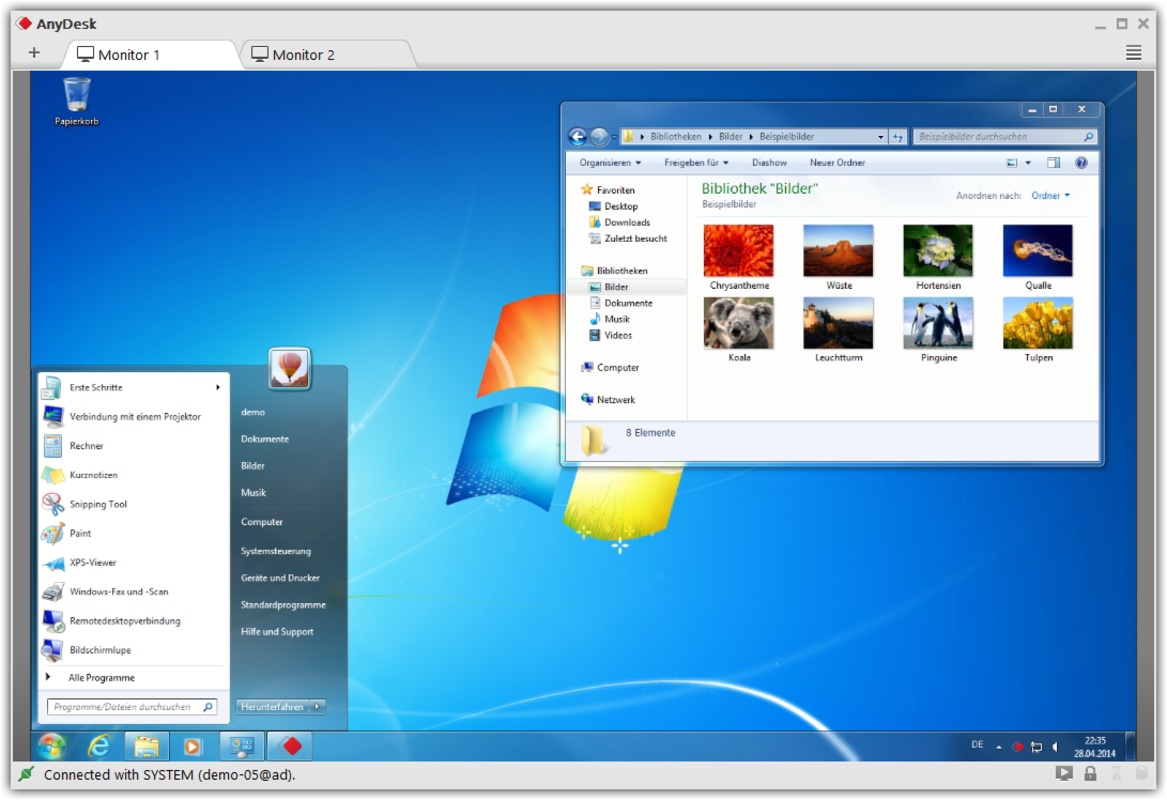
AnyDesk is remote desktop software allowing you to control any device remotely from your own PC. The program supports many different operating systems, including all versions of Windows, MacOS, Android, iOS, Linux, Raspberry Pi, FreeBSD, and ChromeOS. In addition, it is multiplatform, so you can use it from Windows and connect to the desktop of any other platform or vice versa.

Getting started with AnyDesk is very simple. All you have to do is double-click on the executable, and without the need for installation, the main program window will open in less than ten seconds. The first thing you can see in this window is your unique address, composed of nine numbers, which you can share with any other application user to connect to your computer. Once you share your address code with another user, a pop-up message will warn you that they are trying to take control. For security reasons, you need to confirm this message, and only after this confirmation will the other person be able to start controlling your desktop remotely.

Advertisement
Remove ads and more with Turbo

If you want to control another user's computer, the process is just as simple. In this case, all you would have to do is enter the nine numbers of the other computer's address in the program's address bar at the top of the interface. Once you do this, the other device must confirm you can take control. Once you get the confirmation, you can start controlling the other computer remotely: your mouse movements will be the mouse movements of the other device, and basically, you will be able to do anything you could if you were in front of that PC.

One of the reasons why AnyDesk is so popular is because it makes remote technical support so much easier. Thanks to this small program, with an executable of less than 4MB, you can remotely access any computer as long as its owner permits you. This way, you can check if the other computer has any problems, if the drivers are up to date, if it has any viruses or spyware, if there are overheating problems, etcetera. Checking everything is working correctly on a computer hundreds of miles away has never been easier.

AnyDesk is an excellent remote desktop app, useful in almost any environment. The most obvious use, of course, is technical support, but it will also allow you to help your friends and family at any time. It will even allow you to carry out fast file transfers between two connected computers. And all this regardless of platform or operating system.

Information about AnyDesk 9.6.8

Basic information

Developer AnyDesk Software GmbH
License Free
Category Remote Desktop
Rating All ages
Languages English
5 more

Security and privacy

Required permissions Not applicable
Advertising Not specified
See security and antivirus report
Why is this app published on Uptodown? (More information)

Download info

Downloads 10,592,157
Date Jan 23, 2026
File type EXE
Size 7.6 MB
SHA256 2e3168861ab03ac6632268d1b42f75204f3e9cbd5f5f4b51082a6cbda5d0a2a7
Advertisement
Remove ads and more with Turbo

Older versions

See more
exe 9.6.7 Dec 23, 2025
exe 9.6.6 Dec 5, 2025
exe 9.6 Nov 13, 2025
exe 9.6 Nov 1, 2025
exe 9.6 Oct 21, 2025
exe 9.6.2 Sep 30, 2025
Available for other platforms

Rate this App

Review the app
AnyDesk icon

Rating

4.8
5
4
3
2
1
20 reviews

Comments

See more
magnificentgreenconifer8420 icon
magnificentgreenconifer8420
8 months ago

allgood

11
Reply
fantasticyellowhen40127 icon
fantasticyellowhen40127
in 2024

very useful

17
Reply
oldpinkwolf19914 icon
oldpinkwolf19914
in 2022

Thank you. Very high-quality work

20
Reply
massiveyellowdonkey38990 icon
massiveyellowdonkey38990
in 2020

At the office, I have a PC with Windows 10, and at home, I have Windows Vista. At the office, I installed and configured Anydesk to connect from home. On the home PC with Windows Vista, Anydesk ver. 5...See more

78
Reply
See more
Advertisement
Remove ads and more with Turbo
Microsoft Remote Desktop icon
Microsoft's official remote desktop app for Windows
UltraViewer icon
Access your desktop remotely from anywhere
TeamViewer icon
Manage devices remotely
Xbox Accessories icon
Manage everything related to your Xbox controllers
TeamViewer Portable icon
Remote control tool to access your desktop
VMware Horizon Client icon
Remotely access virtual desktops with VMWare Horizon
AirDroid Cast icon
A fast, easy, and powerful screen-sharing program
RustDesk icon
RustDesk for Windows: Secure, high-performance remote desktop solution
Windows 10 icon
Download the latest Windows 10 ISO on your device
Microsoft Office 2021 icon
2021 versions of Word, Excel, PowerPoint and Outlook
Microsoft Word icon
The leading word processor for working with documents
Microsoft Office 2019 icon
Install Word, Excel and PowerPoint with Office 2019
Windows 11 icon
Download the latest Windows 11 ISO on your device
Microsoft Office 2016 icon
The 2016 version of Microsoft's office suite
Windows 7 Home Premium icon
Download the latest Operating System by Microsoft
Windows 8.1 icon
Upgrade to Windows 8.1 before anyone else