Add and set your custom font to your TextView by xml.
compile 'com.febaisi:custom-textview:0.0.3'
Add CustomTextView component to your layout. Declare your font name in app:typeface attribute.
**Don't forget to add xmlns:app atribute.
    <com.febaisi.CustomTextView
        xmlns:app="http://schemas.android.com/apk/res-auto"
        android:layout_width="wrap_content"
        android:layout_height="wrap_content"
        android:textSize="20sp"
        android:text="Hello World!"
        app:typeface="YourFont.ttf"/>
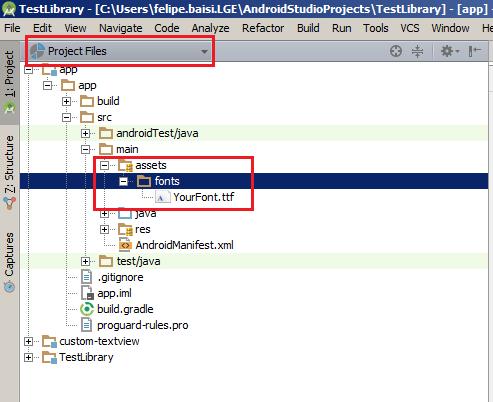
You must add your font under assets/font folder.


Feel free to contribute with your own attributes to the custom-textView module. To add more variables to this component, declare it in attrs.xml and add your custom behavior in CustomTextView.java.