- Create better content, faster

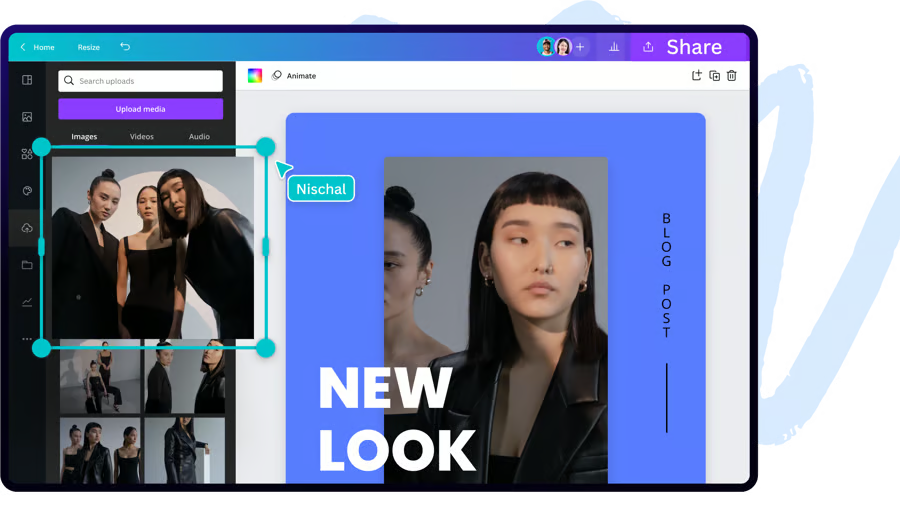
Content creation tools to help you design faster
Canva makes it easy to design high-quality creative content for any format with simple content creation tools for the whole team.



Design faster with time-saving content creation tools
Great marketing and social media content can help your business grow, but without the right tools, it takes time and effort to produce. With Canva, you can speed up the design process with simple content creation tools helping your team create great content in seconds.
Organizations are using Canva to scale content creation
60%
increase in content creation in one month[1]
10
Days per month saved on social media content creation[2]
66%
reduction in design turnaround time[3]
6
Months for a full global rebrand[4]
Speed up content creation
- Use Magic Write(opens in a new tab or window), an AI- powered writing assistant in Canva Docs(opens in a new tab or window), to generate copy in seconds.
- Use Magic Switch(opens in a new tab or window) to resize one design or document for multiple platforms.
- Access Canva’s premium content library(opens in a new tab or window) with 100M+ photos, graphics, video, audio and fonts.

Stay on brand and reduce creative bottlenecks
Canva makes it easy for anyone on your team to design, taking the pressure off creative teams and design freelancers. By using brand-approved templates, your team can design professional marketing, sales, or internal comms collateral in minutes - no matter their design experience.
Empower your team to make brand-approved creative content
- Speed up your creative workflows with streamlined commenting, assigning tasks, and design approvals.
- Maintain consistency by uploading and storing your brand fonts, colors, and images for the whole team to use.
- Use folders and unlimited storage(opens in a new tab or window) to organize the team - no more spending hours searching for the latest files or brand elements.

Create social media content quickly and easily
Creating social media content is a challenge when the demand for fresh content is never-ending. With Canva, you can create, schedule, and post ahead of time so your content always appears at the right time for your audience. Or, if you're working against the clock, invite the team to collaborate and approve designs from anywhere, on any device, in any timezone.
Share on-brand social media content on any platform
- Access thousands of pre-designed templates for Facebook, TikTok, Twitter, Instagram, and YouTube.
- Create, schedule, and publish your designs directly from Canva with Content Planner.
- Get inspired with social media templates(opens in a new tab or window) or try a new social media platform to test engagement.
Watch AI speed up workshop brainstorming
See how Jimmy uses AI-powered tools to help teams extract learnings and communicate clear next steps to stakeholders instantly—turning campaign feedback into insights in minutes.

"[Canva] arms you with the ability to have your output match your input in brilliance and uniqueness. To be able to dream up powerful and profitable content with speed is a gift to people who do integrated marketing like we do."
Damian Slattery
Fast Company’s Vice President of Marketing

Content creation tools built for speed
Canva’s built-in design tools help you speed up every part of the content creation process.

Working with a team?
Invite everyone on your team to collaborate on designs with Canva Business.
- Create and collaborate across countries, companies, and departments.
- Empower anyone in your team to create effective and professional visual content.
- Use brand management tools to easily build and scale your brand with consistency.
- Improve your team’s design skills with simple commenting, reviews, and approvals.
Team content creation resources

6 interactive content ideas and how to execute them

6 ways to speed up the content creation process without sacrificing content quality

How to set up a content production workflow across teams
Frequently Asked Questions
With Canva Business, you can empower everyone to be a brand builder. Set up Brand Templates for your team to quickly design compelling content that’s always on-brand. Plus, teams can design effortlessly with a library of social media templates and unlimited content from videos to images, graphics, and more.
By designing with Canva’s pre-made templates and creating your own custom brand templates with locked elements(opens in a new tab or window), creating and updating designs is easy for the entire team. Canva is also full of time-saving tools like instant Background Remover and Magic Resize, helping you quickly create and customize content for any format. On top of that, you can maintain consistency across every document or design with Brand Kits, preloaded with your logos, fonts, and colors.
When creating an effective content strategy(opens in a new tab or window), it’s important to maintain a consistent brand identity to improve your business’s brand recognition and awareness. High-quality content builds audience trust and helps to provide an engaging way for your audience to connect with your brand.
The most helpful content tools will streamline your content creation process by cutting down on your design, editing, and approval time. Look for an all-in-one content solution that helps you store and manage everything in one place and integrates with all your other tools. With Canva, try Background Remover(opens in a new tab or window), Magic Resize(opens in a new tab or window), and Premium Templates(opens in a new tab or window) to create high-performing content that’s designed with best practices in mind.
Visual storytelling is now critical for every business to communicate effectively and reach its goals. Canva Business sets your business up for success with thousands of design templates that anyone in your organization can customize to your needs. You can also set up branded templates to create content that always represents your brand in the same way. Plus, it’s easy to scale and manage the entire design process, no matter the size or requirements of your organization.
You can contact our sales team(opens in a new tab or window) to discuss your specific needs.
Discover more ways to use Canva Business


Fact check
[1]How F45 lifted design efficiency for its franchisees by 60% in just one month(opens in a new tab or window)
[2]How remote-first organization Peppy scaled and enabled teams to collaborate across multiple locations(opens in a new tab or window)
[3]How Blackbird transformed their business and culture with Canva(opens in a new tab or window)
[4]How Skyscanner rolled out a successful rebrand with Canva in six months(opens in a new tab or window)